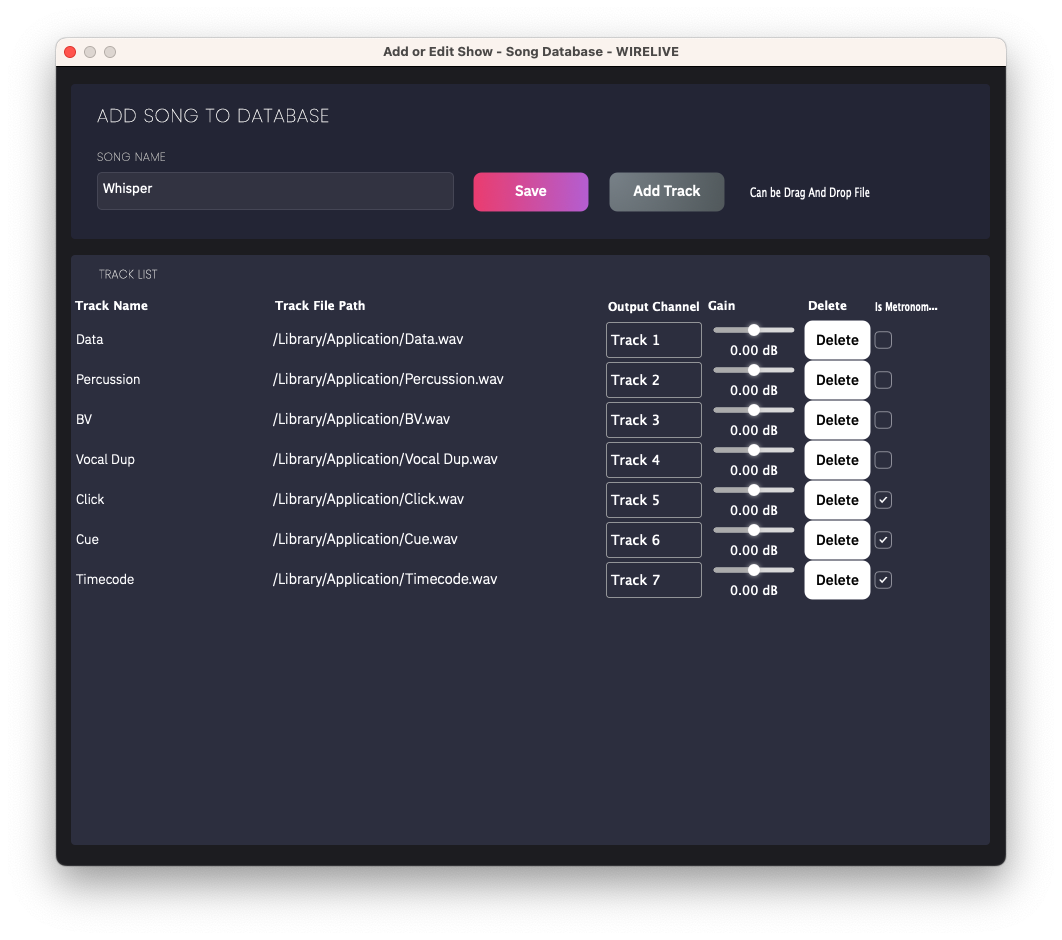
Add or Edit Song Database
Song database is a system for collecting all your music files on your project for use with show files.
How to add ?
-
Prepare a music file with the extension .wav or .mp3 (we recommend wav).
-
Click on
New Song. -
Set Your Song name.
-
Add Song File by Click on Add Track or Drag WAV/MP3 file and Drop on this window.
- You can rename your track by clicking on column track name.
-
Setting Output Channel each Track. Do not duplicate output channel each track.
-
Setting Output Gain each Track.
-
If this track is
MetronomeorTimecodeorCUEor anything is not part of your song, You need to tick on Is Metronome ? -
If you need to edit song file, you can double click on your track file path.